


Manage items
Edit or delete an item
Update rates or delete an existing item
Unlike subscriptions, which renew every season, items represent one-time charges assigned to members: licenses, entry fees, key deposits, or lesson registration fees. These items do not renew automatically and must be assigned manually to each member concerned.
Go to the item list
Go to SETTINGS → Manage invoicing and scroll down to the item list. For each item, you will see two icons: a pencil to edit and a trash can to delete.

List of items with edit and delete icons
Edit or delete the item
To edit: Click the pencil icon. You can adjust the rates according to age brackets (for example, 40 CHF for ages 0-17, 70 CHF for ages 18-99). Confirm your changes by clicking "Edit item".
To delete: Click the trash can icon. The item will be permanently deleted from the system.
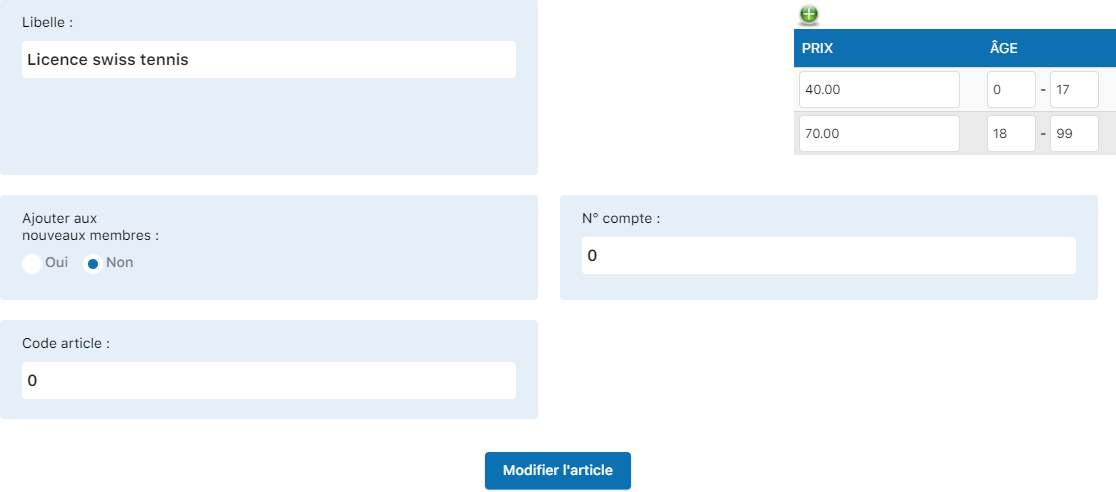
Editing form with pricing options
Plugin.ch Tutorial — Manage items