


Manage invoices
Invoicing a membership fee or an item: what's the difference?
Plugin.ch has two ways of invoicing a member: the membership fee (linked to their subscription) and the item (one-off charge). They work completely differently — here is the golden rule:
The membership fee is automatic and charged once per season. The item is manual and repeatable as many times as needed.
1. The membership fee: automatic, once per season
The membership fee comes from the member's subscription type (Adult member, Junior…). You never assign it by hand: it is generated automatically when you create the season's invoice group, in INVOICE → Manage invoices → Create tab, by ticking the relevant subscriptions under “Invoice membership fees”.
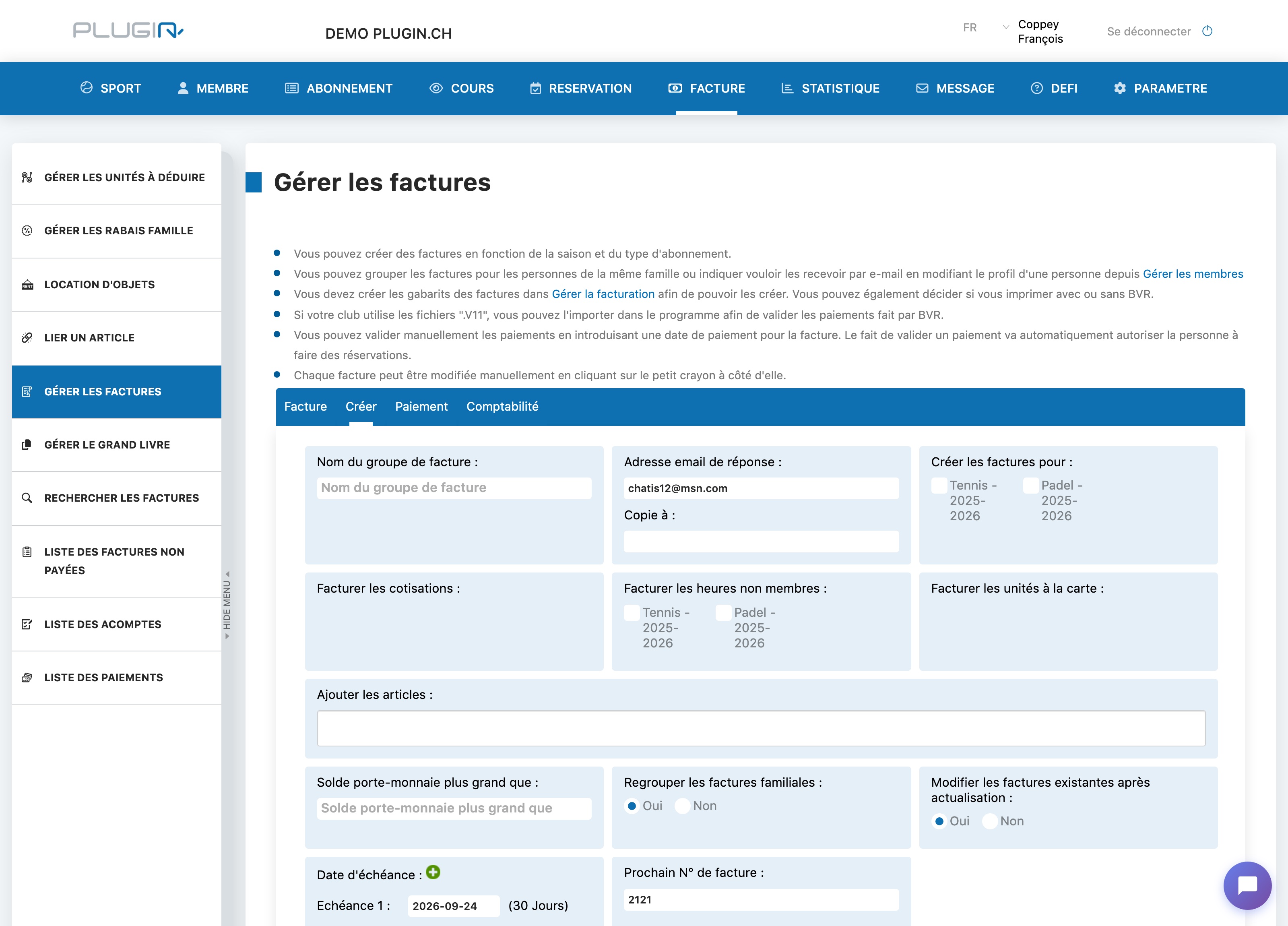
The program makes sure a member receives only one membership fee per season : running the invoicing again never creates a second fee for the same person and the same season.
2. The item: manual, as many times as you want
Items are used for everything else: lessons, equipment, entry fee, discounts (negative amount)… Unlike the membership fee, nothing is automatic : you must link it to the member yourself via INVOICE → Link an item.
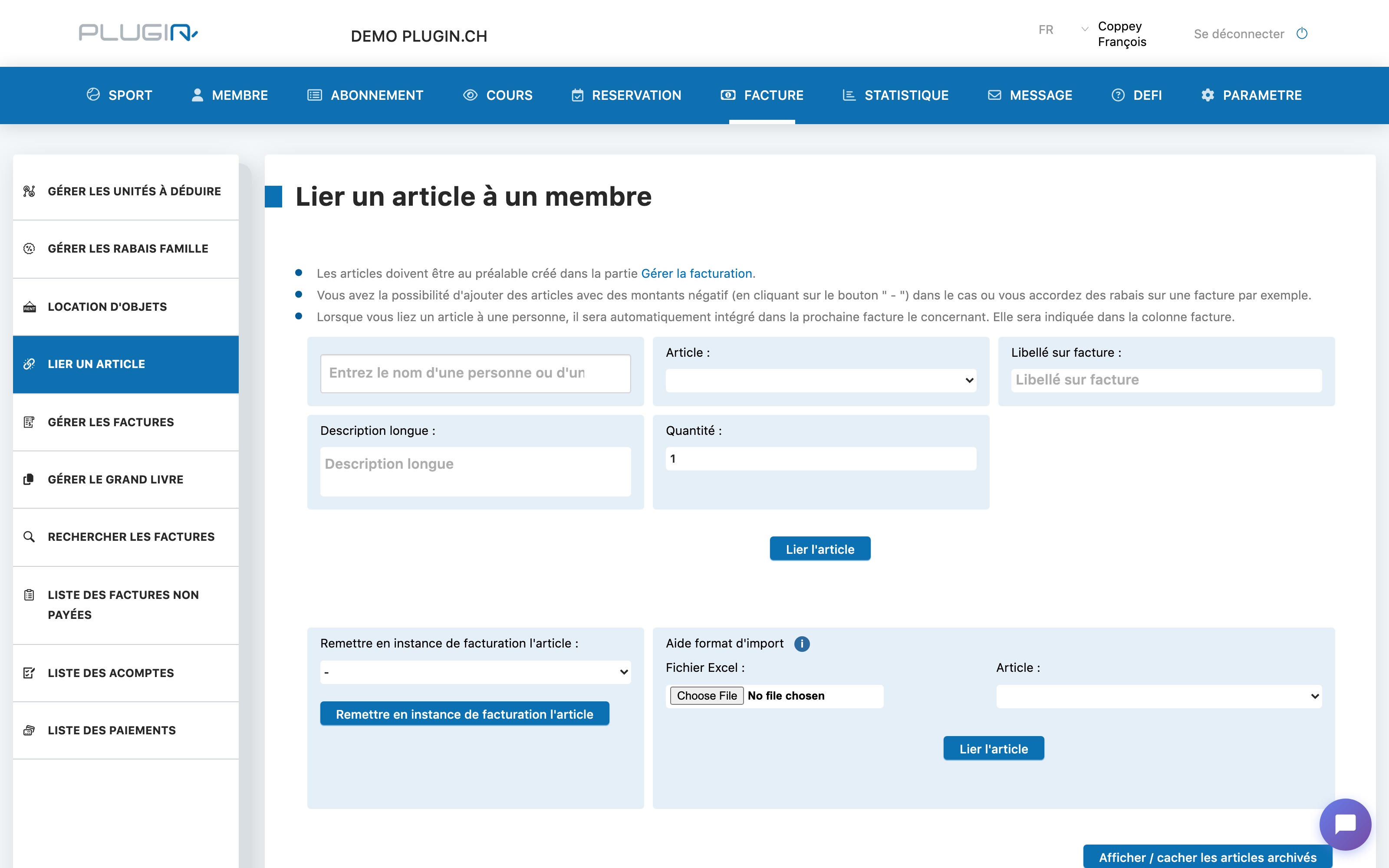
An item can be assigned multiple times, with no yearly limit. Once linked, it is automatically included in the next invoice that concerns this member.
3. Making a new membership fee appear: “Refresh invoices”
A new member joined the club after invoicing? A member changed subscription? Their fee will not appear on its own: open INVOICE → Manage invoices, select the season's invoice group, then click Refresh invoices.
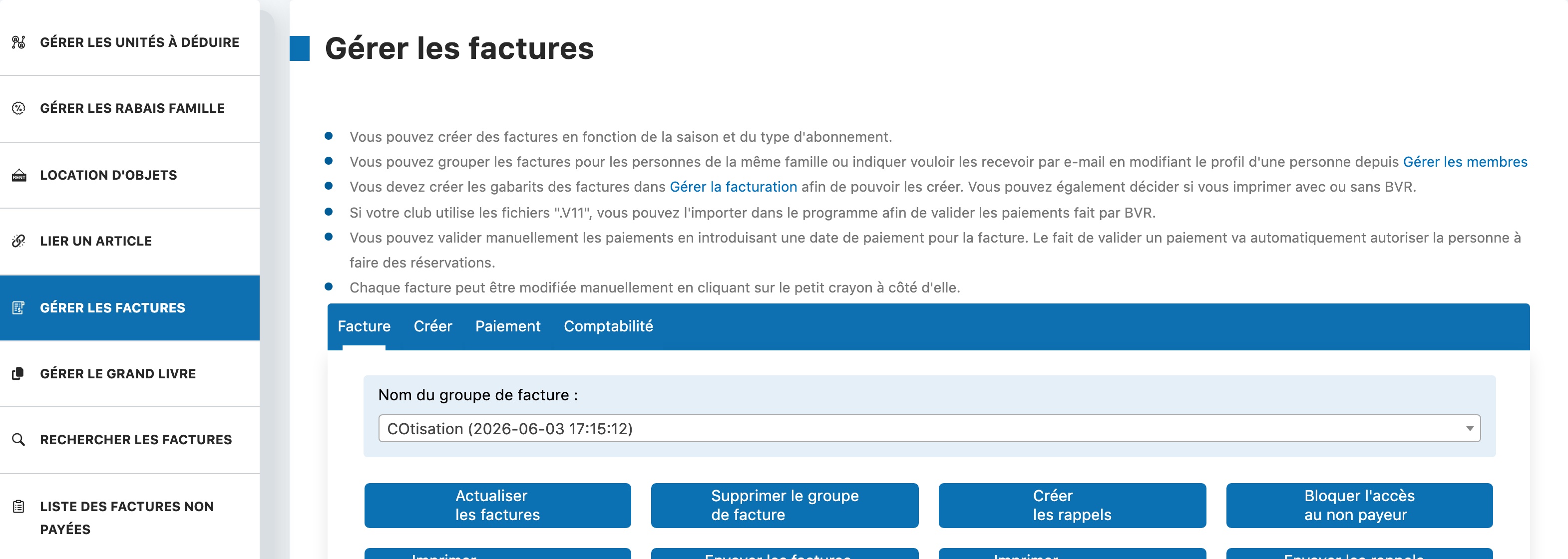
Refreshing creates the missing invoices (new fees, items linked in the meantime) and updates the existing ones — without ever duplicating fees that were already invoiced.
⚠️ Do not run “Create invoices” again for this: you would end up with a duplicate second invoice group. To complete an existing group, always use Refresh invoices.
In short
- Membership fee : automatic, linked to the subscription, only one per member per season. Generated when the group is created, completed via “Refresh invoices”.
- Item : manual, linked via “Link an item”, repeatable without limit. Picked up in the member's next invoice (or when the group is refreshed).
Plugin.ch Tutorial — Manage invoices