


Manage bookings
Configure and use open matches
Configure and Use Open Matches
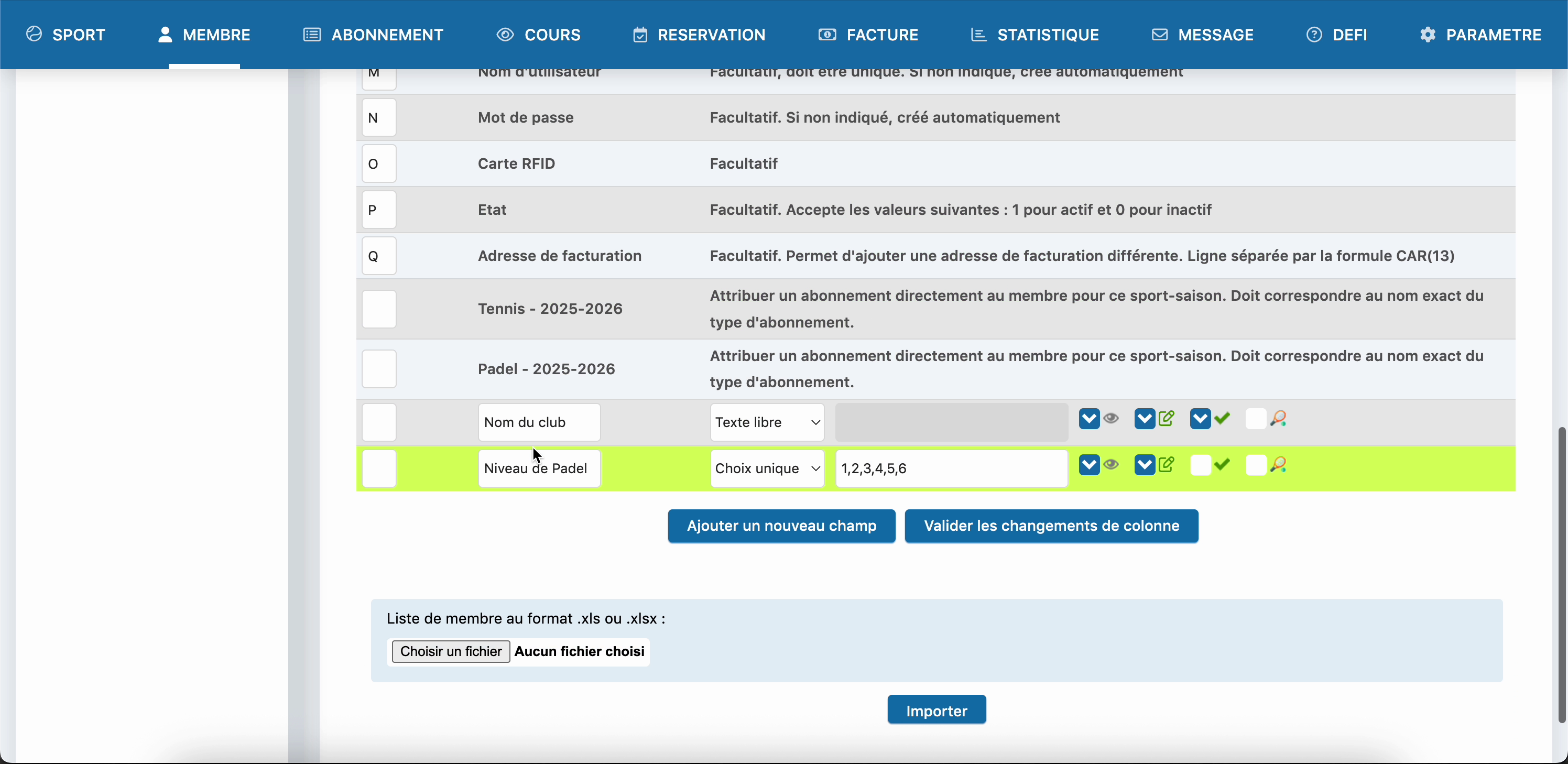
1. Admin setup (Part 1): Create the field
Go to 'Manage users' > 'Custom fields'. Create a field named Padel level (single-choice type) and define the possible levels.
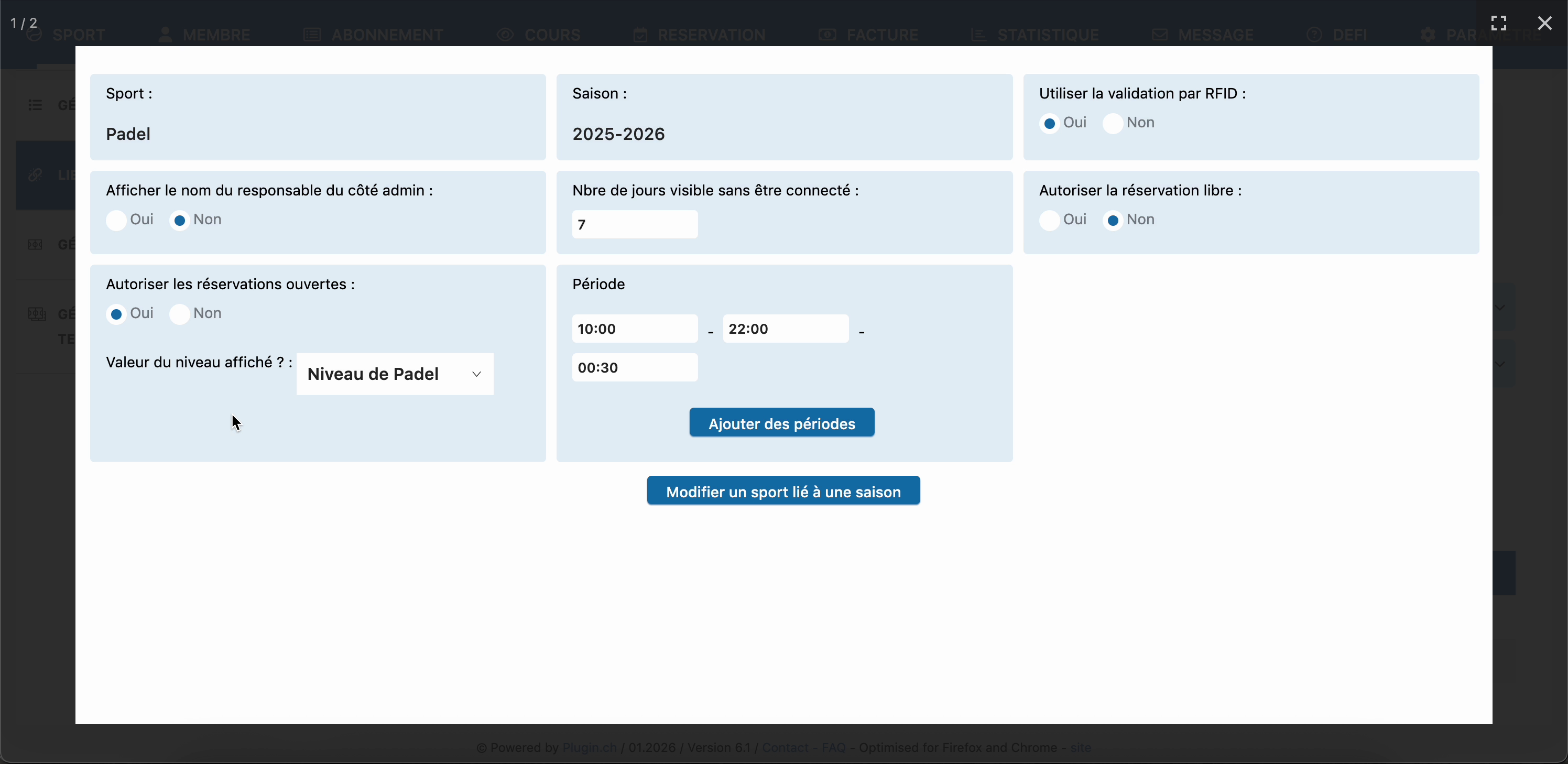
2. Admin setup (Part 2): Enable the option
In 'Manage sports' > 'Link a sport to a season'. Enable the option Allow open bookings and link it to the 'Level' field created previously.
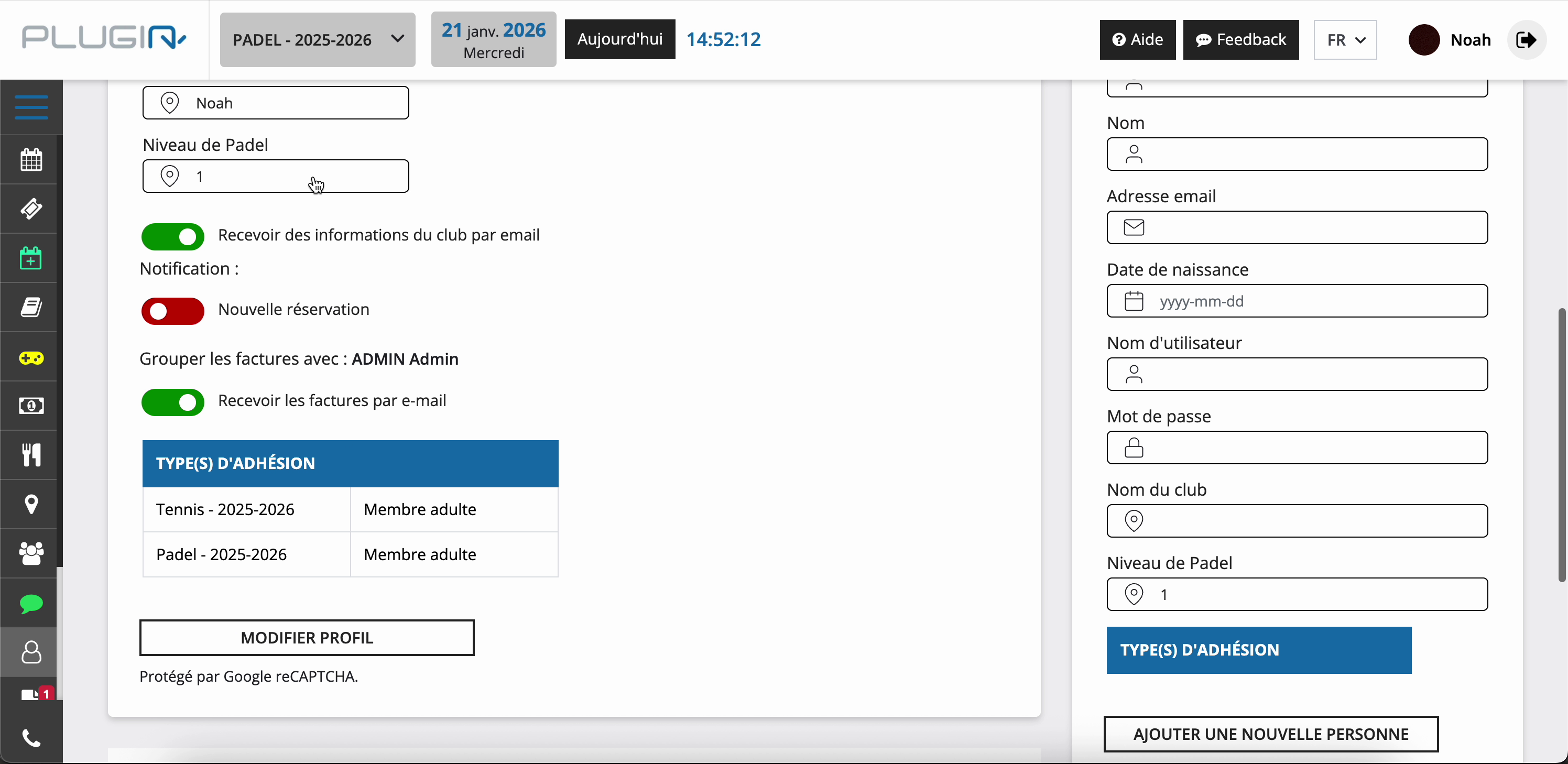
3. Member action: Enter their level
The member must go to their Profile to select their level. This is essential for the system to know whether they are allowed to play.
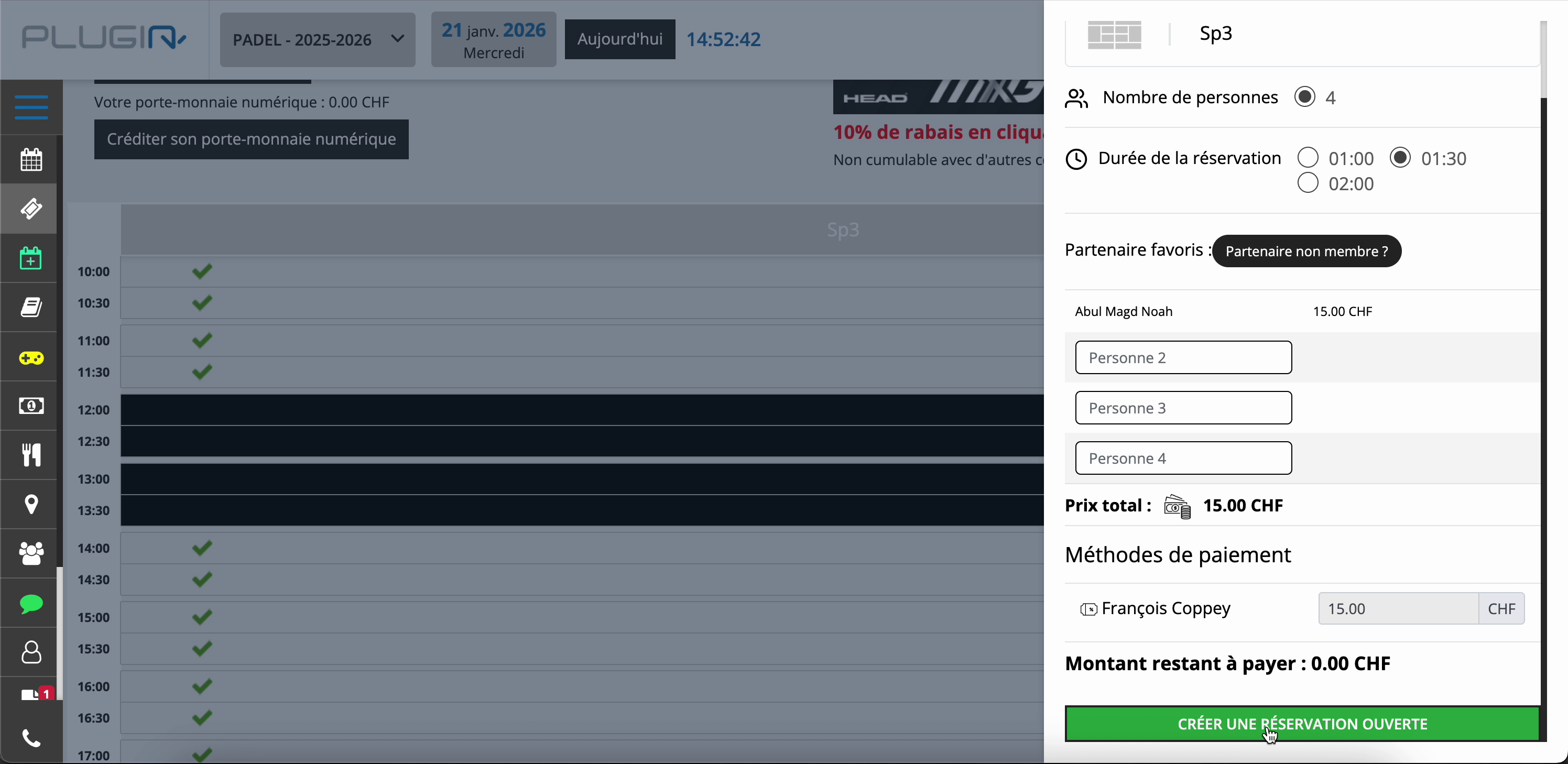
4. Create an open match (first player)
Click on a time slot. Leave 'Person' rows empty for available spots. Pay your share and click the green button CREATE AN OPEN BOOKING.
5. Invite players
The match appears with a specific icon. Click it, then use the button WhatsApp to send the invitation link to your group.
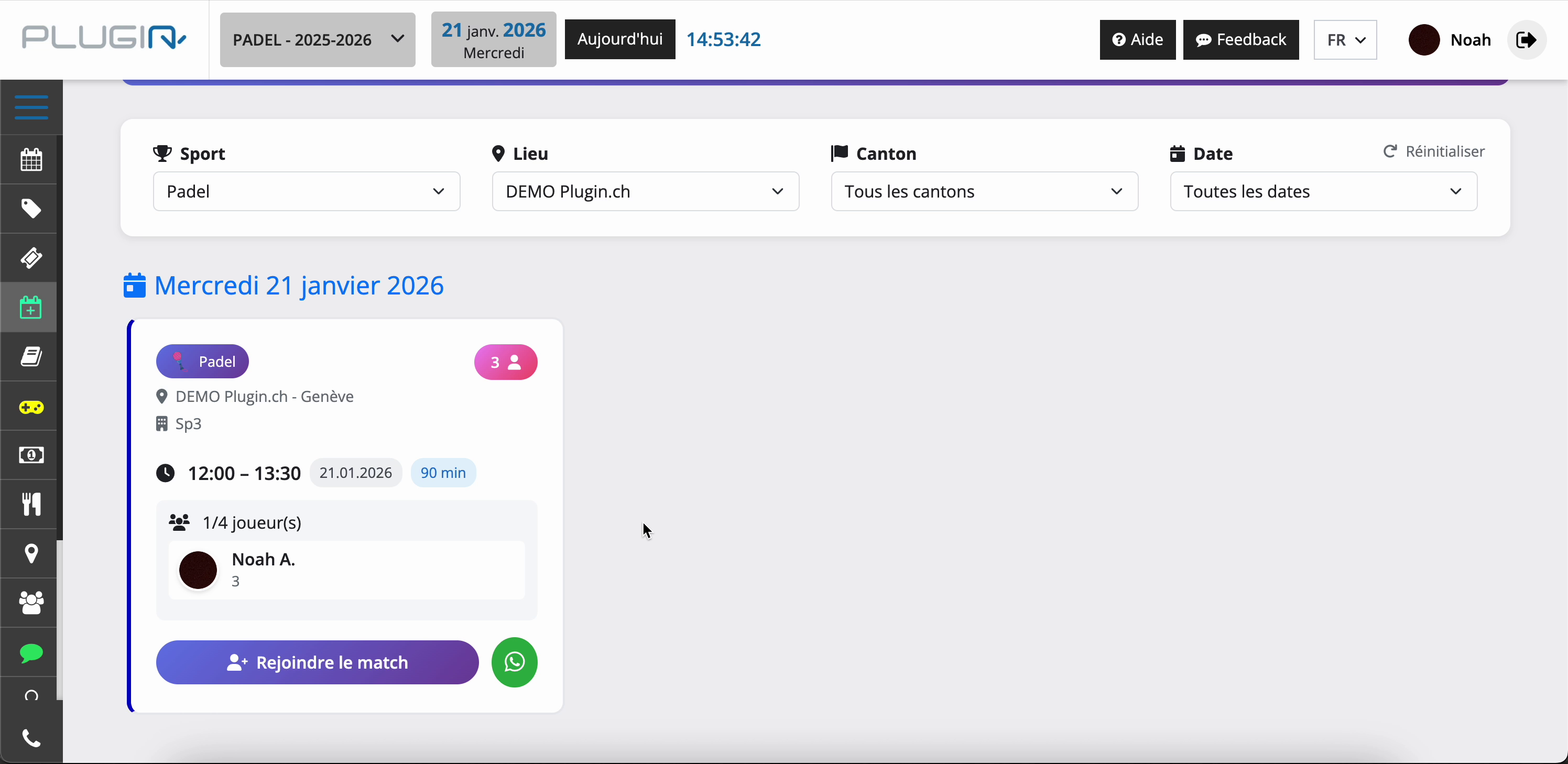
6. Join an open match (second player)
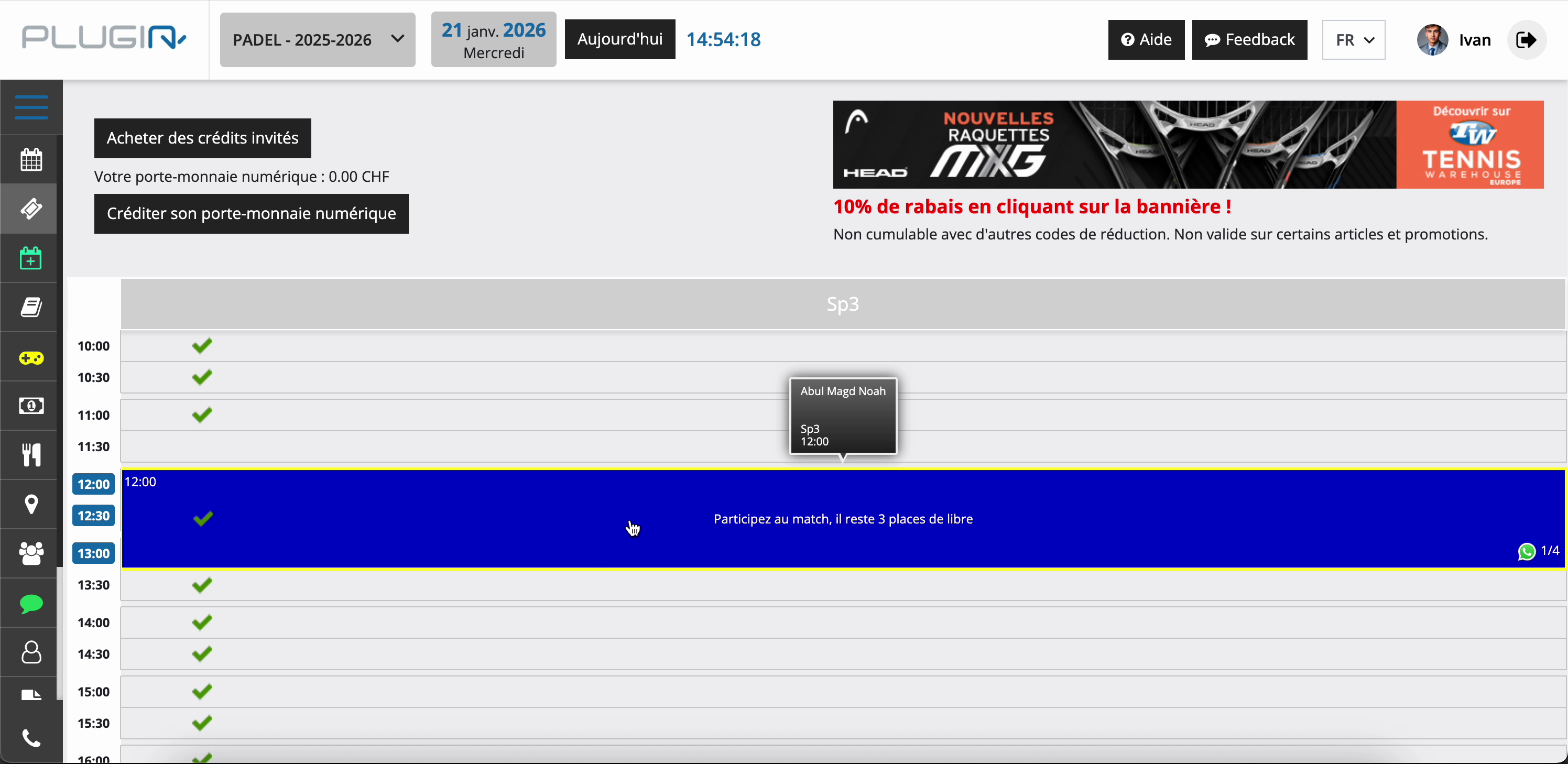
The invited player clicks the time slot. They click on an open spot ('Person'), select their name, and pay only their share to confirm their attendance.
Plugin.ch Tutorial — Manage bookings