


Bookings
How to join an open match
Find and Join a Match
1. View available matches
In the left-hand menu, click Available bookings. You will see the list of all open matches looking for players at your level.
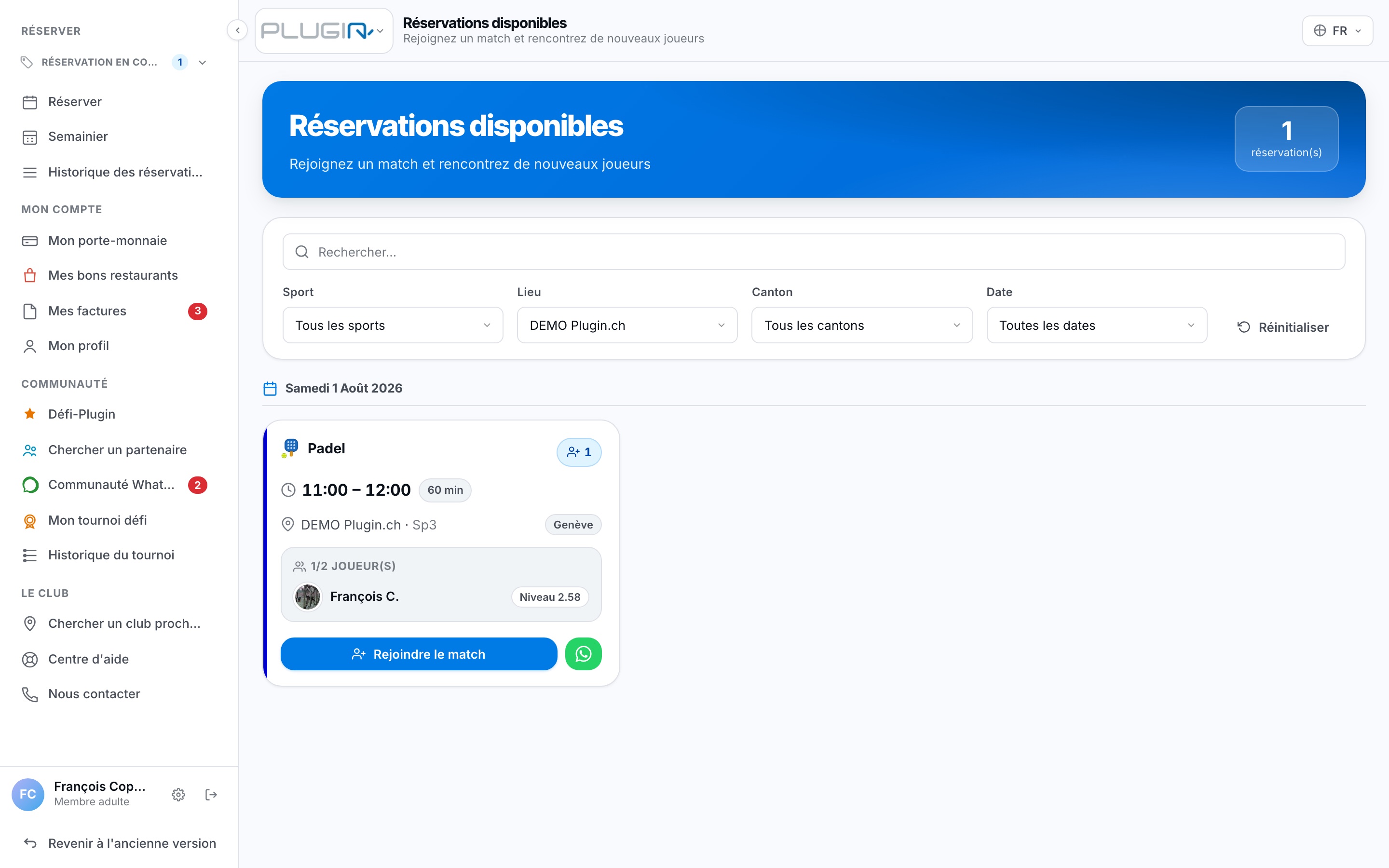
2. Join a match
Click the Join the match button (or the '+' icon) to see the match details and who is already playing.
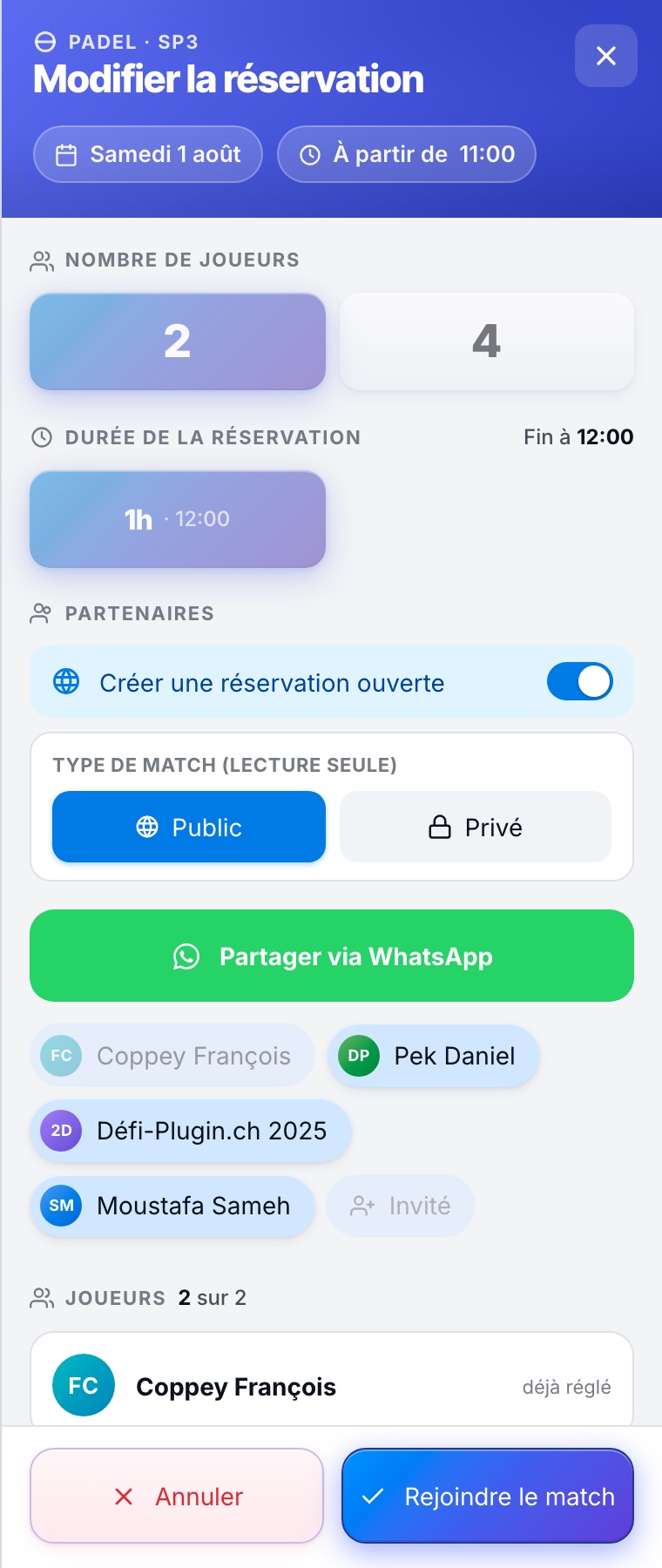
3. Sign up and Pay
Click a free row ('Person'), select your name, and pay your share. The match is confirmed!
Plugin.ch Tutorial — Bookings