


Assign and remove a role
Assign roles to members and manage their access permissions
Assign a role to a member
Click the menu MEMBER, then select Assign a role. In the form, select the role to assign and enter the person's name or email.
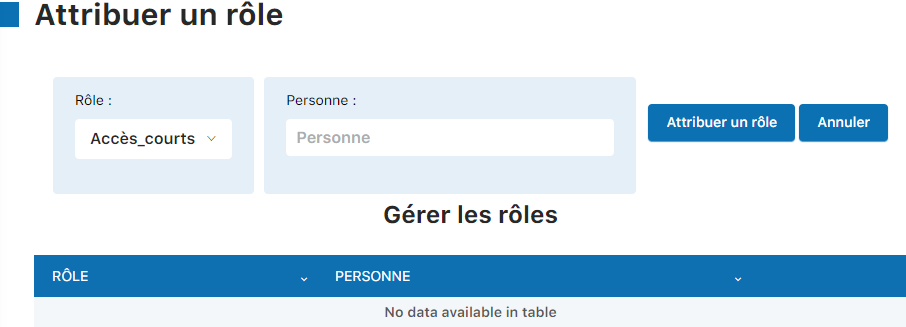
Then click Assign a role to confirm the assignment.

Remove an assigned role
On the same "Assign a role" page, you can see the list of members with their assigned roles. To remove a role, click the trash icon next to the member's name.

Log in with the role's permissions
The user can now log in by going to club-name.plugin.ch/new/ and entering their username and password. Only the features authorized by the assigned role will be visible in the toolbar.
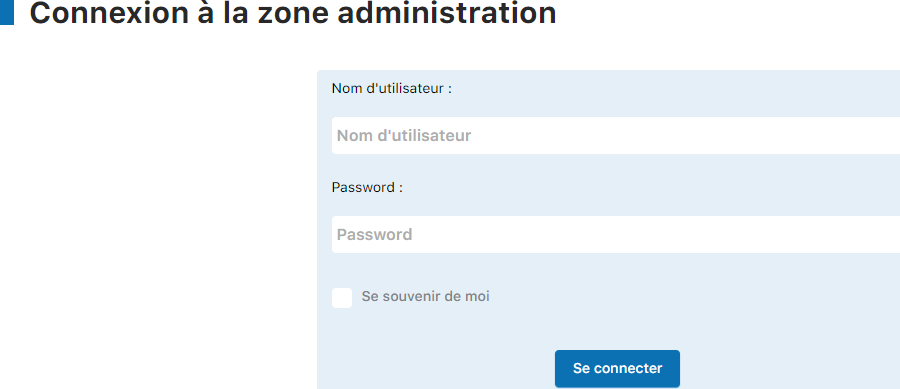
💡 Tip: Login credentials
Login credentials (username and password) can be found in each member's record, in the Username and Password.
Plugin.ch • Help Center • Video tutorial